Tech tutorial video maker — Terracotta studio style
Make a tech tutorial video with UI cards floating in light 3D on cream: numbered labels, rolling counters, terracotta plates and italic serif captions.
כלול מ-Starter, עם כל 27 הסגנונות בתוספת הסגנון שלך · התצוגה המקדימה נוצרה על ידי מנוע ClipOnIt
איך נראה הסגנון הזה
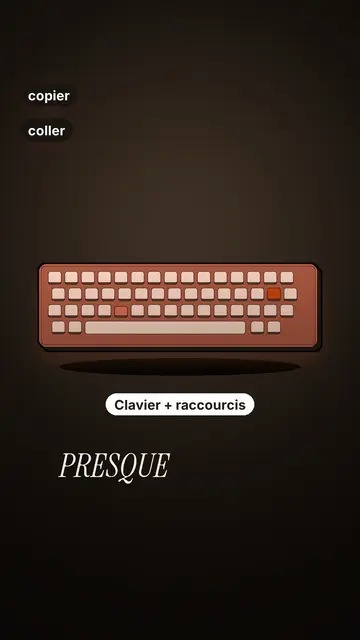
Terracotta studio explains a tool as if on a tidy workbench. On a cream background, interface cards float in light 3D, with real perspective and a warm shadow: an app window, a list of steps, an editing timeline, a sound wave drawing itself, a pad of keys lighting up one by one. At the top, a numbered label (“01”, the tool's name, “free”) says where you are and stays put while that tool is discussed. Each card enters on the word that names it.
The promise lands on a solid terracotta plate: an asterisk, an extra-bold grotesque title and an underlined italic serif word. The key number rolls in a giant counter above a floor of small cards in perspective. Small labels pop around the cards on the strong words, and captions run word by word in uppercase italic serif, the key word in terracotta. The end shows a numbered card and a button that lights up and then gets clicked.
נושאים מתאימים
Avoid: stories carried by characters, places or emotions: the style shows interfaces, lists and numbers, not scenes from life. Also avoid topics without steps or a concrete tool; a card should always show something you can do.
- Tool tutorialsEach tool gets its numbered label and its cards: viewers follow the order without getting lost, even in 30 seconds.
- Tech tipsA shortcut, a hidden setting, a command: the lit keys and the window show the exact move.
- How things workA search, a sound, an edit: the card filling up shows the mechanism step by step.
- Free tools and app round-ups“3 free tools”, “5 apps to install”: the plate announces the number, the end card sums up the list.
רעיונות לסרטונים בסגנון הזה
- 3 keyboard shortcuts that save time
The lit keys, the closed-tabs window, the clipboard history and the card to keep.
- 5 free sites to find sounds
One label per site, the wave drawing itself, the counter of royalty-free sounds and the final list.
- How AI finds an image in one second
The typed search, the scrolling film strip, the image at the exact frame and the accuracy score.
- Editing a video on your phone
The timeline where clips stack up, the sound meter and the “Export” button clicked at the end.
תקבל אותו ב-1 לחיצה
- פתח את הקישור של הסגנון הזה
הלחצן “צור סרטון בסגנון הזה” פותח את העורך עם הסגנון הזה כבר נבחר. בלי חשבון, ההרשמה לוקחת דקה ולא דורשת כרטיס אשראי.
- כתוב את הנושא שלך במשפט אחד
רעיון אחד מספיק. אפשר גם להדביק את הטקסט שלך או, מ-Starter, לספר למיקרופון: הסרטון ייבנה אז על בסיס הקול שלך.
- בדיקה, ואז רינדור
ה-AI כותב את הסצנות, בוחר את האלמנטים של הסגנון ומתזמן אותם לפי המילים, עם קול וכתוביות. אתה מתקן מה שלא מסתדר, ואז קובץ ה-MP4 האנכי מגיע תוך כמה דקות.
מה אפשר להתאים
For each scene you pick one to three cards out of twelve (window, list, timeline, wave, pads, counter, meter, score, numbered frames, search, film strip or a library element), the numbered label for that part, up to three small labels and the word where each one appears. A terracotta plate carries the promise, a number shot rolls the key figure, and the end card lists your tools with a button. Your own voice works too: everything locks onto the spoken words.
סרטוטים בסגנון הזה
9 517 אלמנטים בספרייה, ניתנים לחיפוש לפי משמעות. כמה מהם:
 דמויות
 מכשירים
 מסמכים ומקומות
 נתונים
 רקעים
 ממשקים
 מדע
 פעולות
שאלות נפוצות
חינמי או לא, פלט, שימושים: התשובות הקצרות.
Do I need screenshots of my tools?
No. The engine draws the interface cards from your text: titles, lines, keys, numbers. No screenshot or brand logo is used.
אפשר להשתמש בקול שלי?
Yes. Record yourself or import your audio: every card, every key and every caption word locks onto what you say.
How is it different from Clean interface?
Clean interface tells a story in OS-style windows with a clicking cursor. Terracotta studio is built for tutorials: cards in light 3D, a numbered label per tool, terracotta plates and counters.
האם הסגנון הזה כלול בתוכנית החינמית?
לא, זה כלול ב-Starter ($29 לחודש): 15 סרטונים ללא סימן מים בחודש, כל 27 הסגנונות בתוספת הסגנון שלך. התוכנית החינמית מעניקה 3 סרטונים בחודש עם סימן מים ב-8 סגנונות נוספים: Pixel News, Press paper, Comedy cartoon, Class sketch, Night tale, Social screen, Retro synthwave ו-Flat vector.
אם אהבת את הסגנון הזה
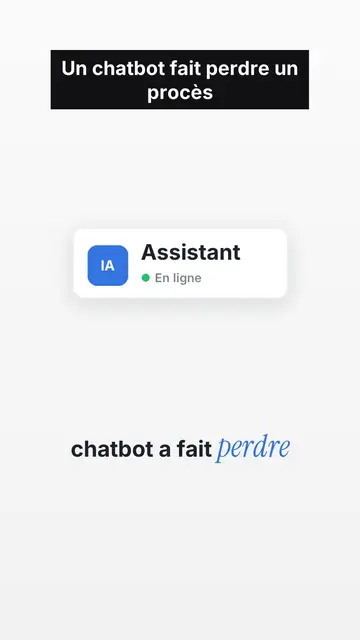
UI motion design explainer video
Clean interface style · The story played out in clean interface cards: windows, buttons, a cursor clicking on the word, key word in serif.
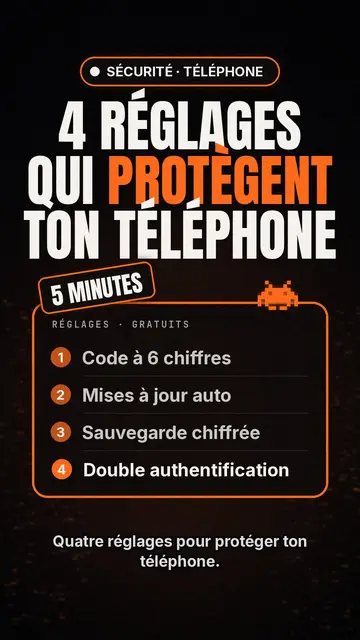
יוצר סרטוני רשימות טכנולוגיות
סגנון רשימת טק · כרטיס טק על שחור, תג זוהר, רשימה ממוספרת.
יוצר סרטונים עם טיפוגרפיה קינטית
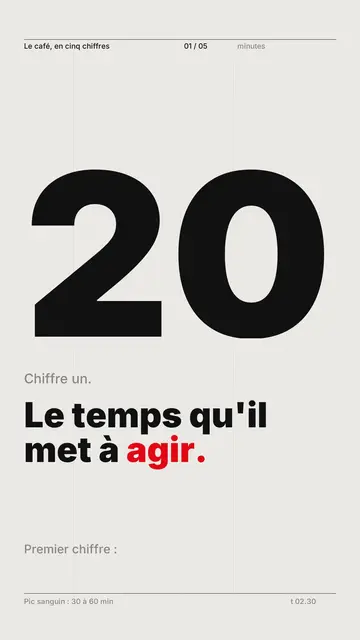
Swiss grid style · טיפוגרפיה שוויצרית: נייר בהיר, רשת קפדנית, נתון ענק, צבע סימון אחד.
הרעיון שלך, בסגנון הזה
כתוב משפט או אמור אותו: הסגנון כבר נבחר כשמגיעים לעורך.